All work02 / 09

Agency operations · AI workflows

RAMS

An operational home for creative teams.

My contribution

I defined the operational problem, product structure, interface and AI workflows around the agency's working context.

Stage

MVP built · development ongoing

Timeline

Ongoing; the MVP was built over several months

The problem

Project context lived across conversations and communication tools, while a separate tracker needed repeated manual updates.

What I delivered

An internal MVP with project views and an embedded assistant. The presentation also includes a 2026 interface refinement.

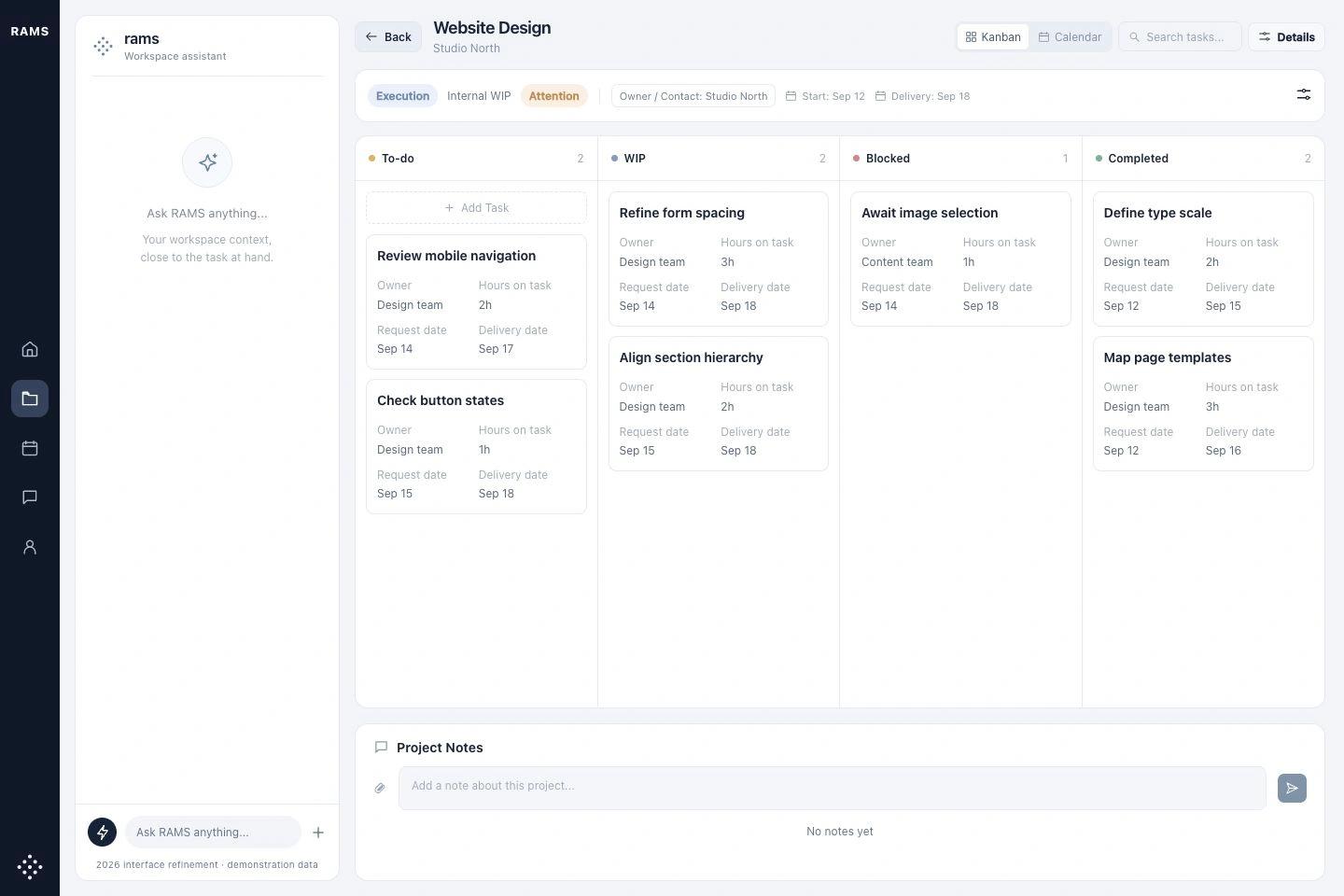
RAMS interface refinement with sample projects, shown on a laptop against a blue studio background

2026 interface refinement with demonstration data, based on the original RAMS workspace.

What shaped the experience.

AI-generated assistance had to coexist with visible project information that people could inspect and change.

01 / Design rationale

Put the assistant beside the work

Keep conversation alongside focus tasks, communication and project views.
Design detail — Put the assistant beside the workExplore the original

Why this structure

People can read the assistant's response while inspecting the surrounding work, then use the visible workspace to continue or correct it.
02 / Design rationale

Give conversation a concrete destination

Connect the assistant to tasks such as summarizing a meeting, reviewing a client and planning daily focus.

Design detail — Give conversation a concrete destinationExplore the original

Why this structure

Specific operational jobs give the chat a purpose within the wider project and task structure.

The design, in detail.

Make the daily workspace easier to scan.

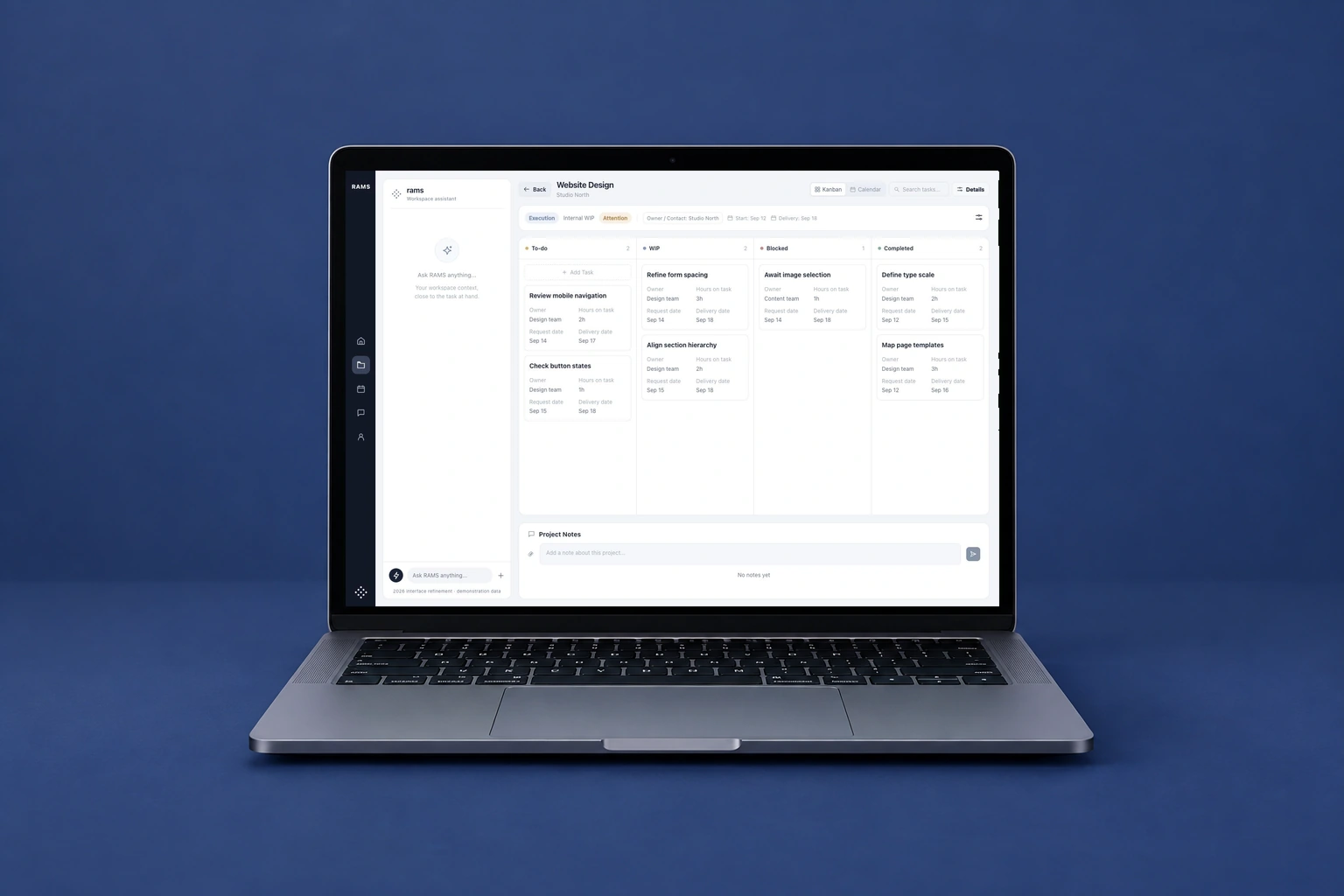
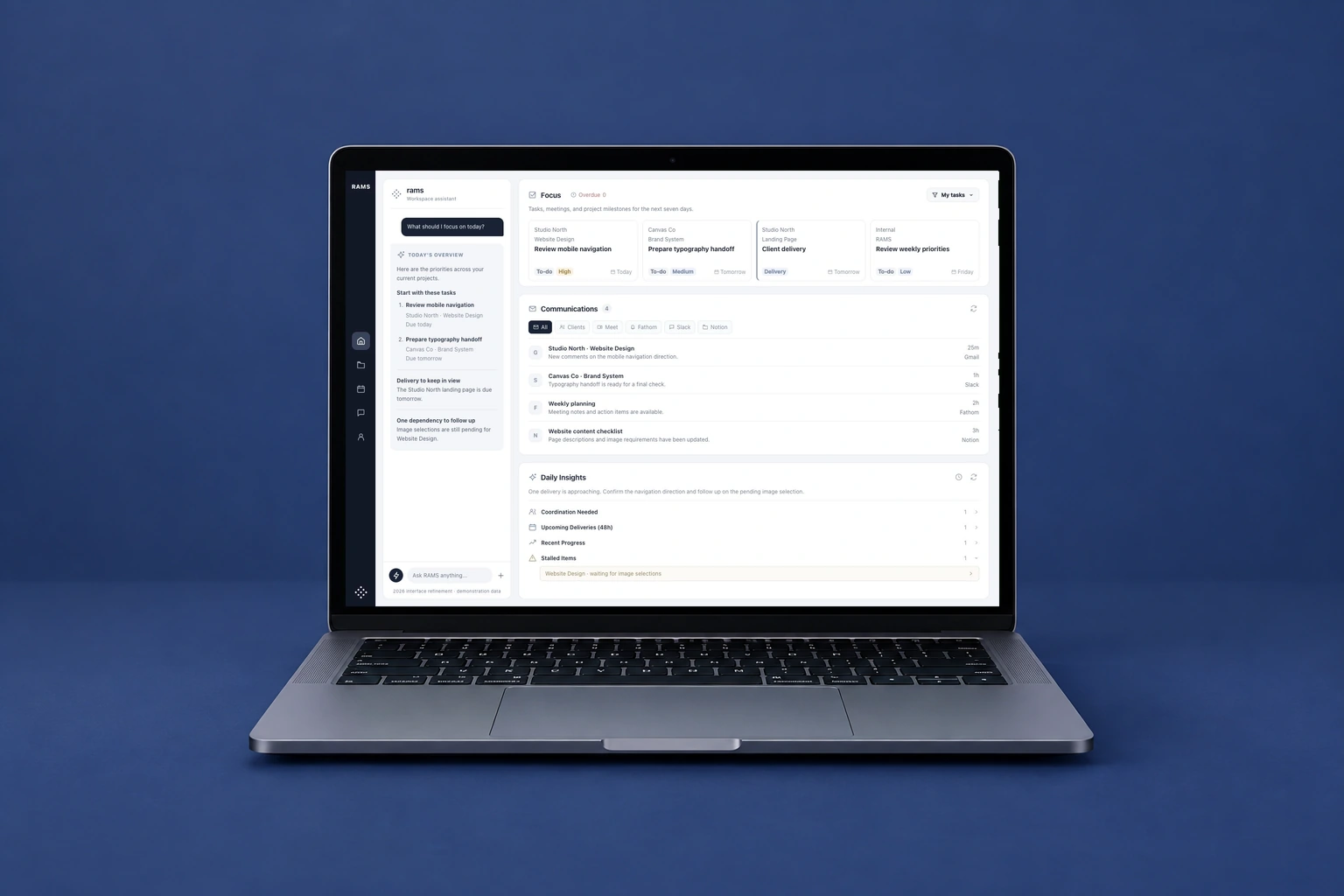
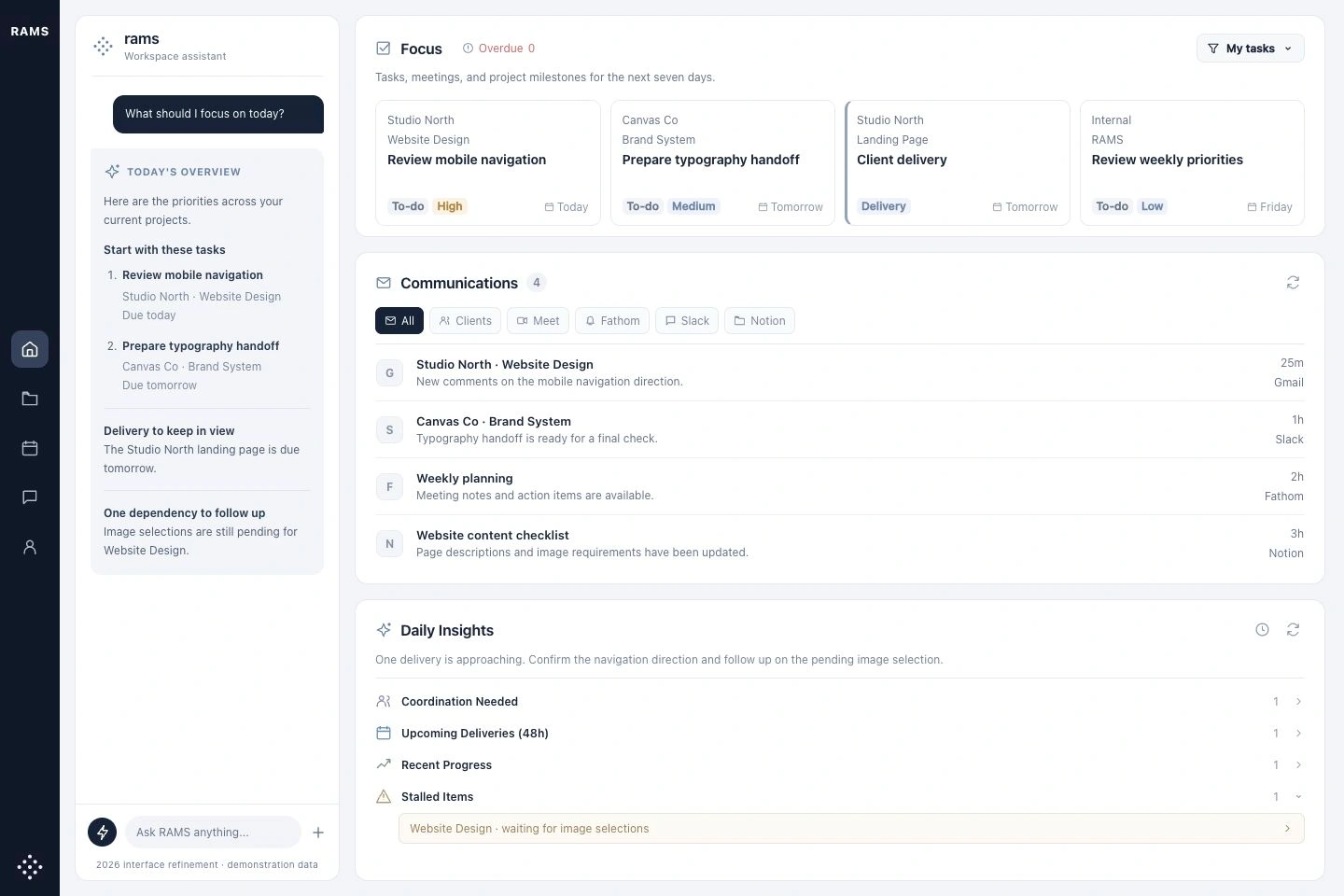
This 2026 visual refinement keeps the original RAMS structure: an assistant beside focus tasks, communications, and daily insights. Clearer spacing and type hierarchy give each area a distinct job. All content shown here is demonstration data.

2026 refinement · Priorities, communication, and the assistant in one workspace.Full screen
2026 refinement · Priorities, communication, and the assistant in one workspace.
2026 refinement · A project board with visible status, ownership, and dates.Full screen
2026 refinement · A project board with visible status, ownership, and dates.
Project board · 2026 interface refinement with demonstration data. Original interface in a macbook presentation mockup.
Project board · 2026 interface refinement with demonstration data.

The original product underneath.

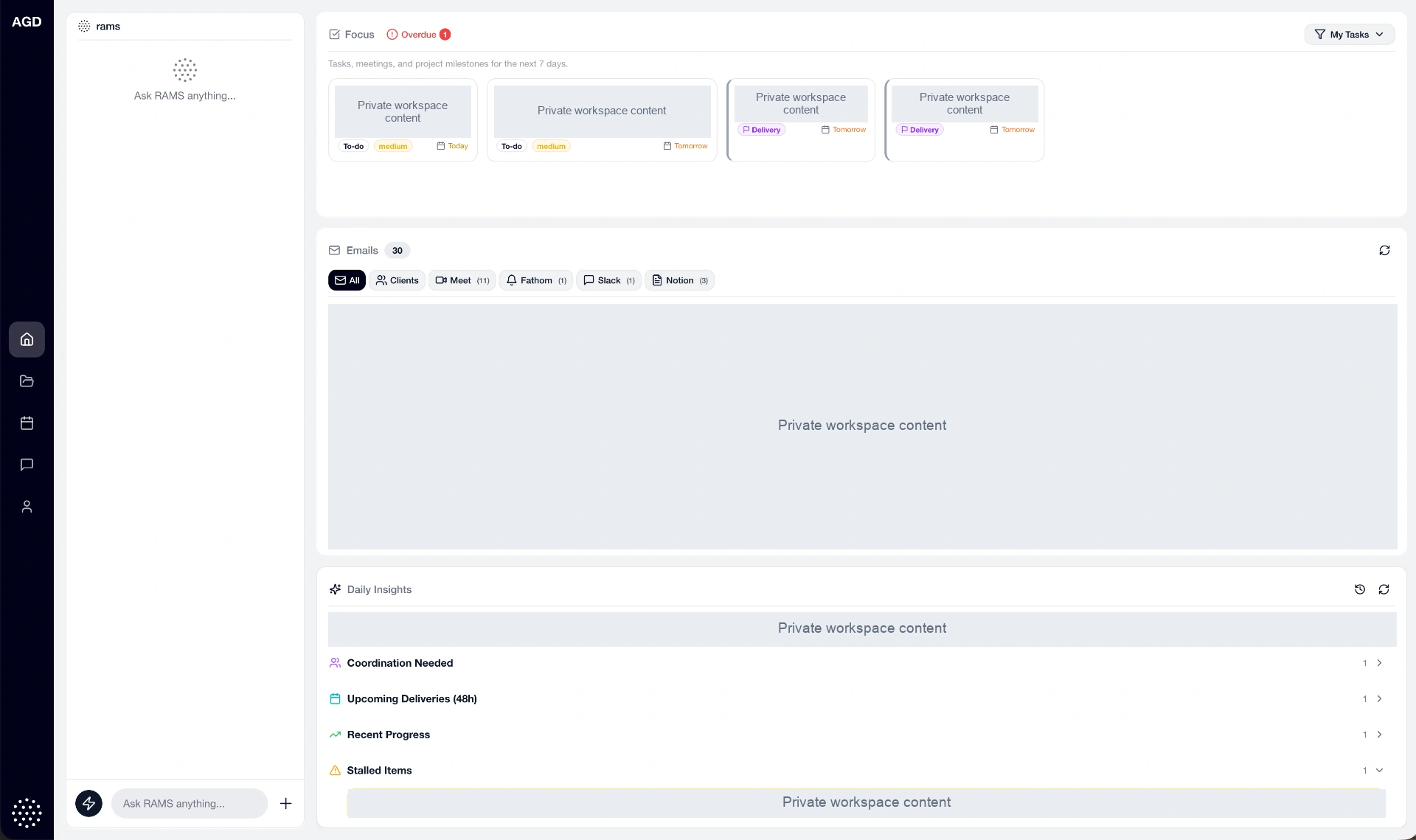
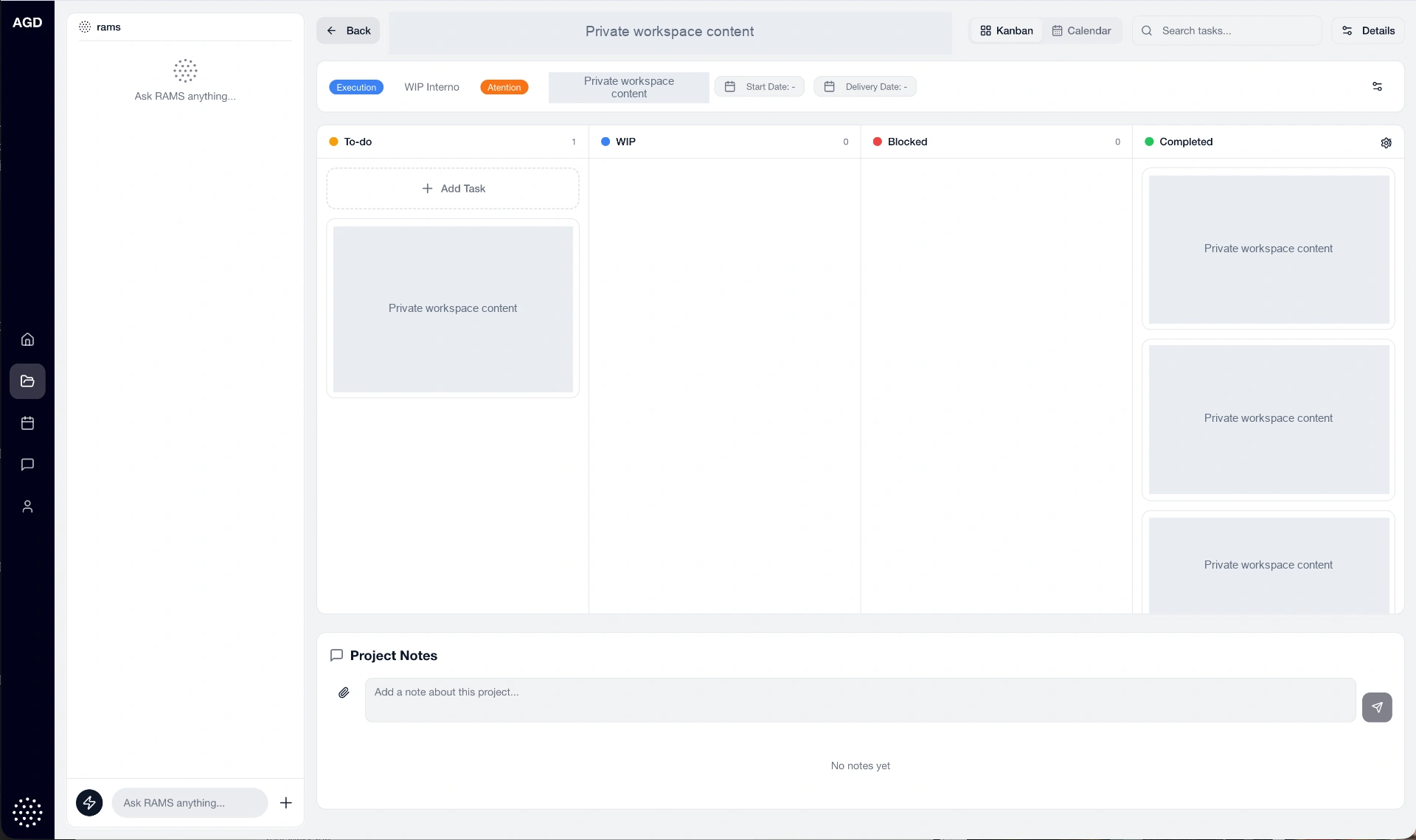
These protected captures show the original workspace and project board used as the basis for the refinement. Internal messages and client content are concealed.

Original RAMS workspace · private content concealed.Full screen
Original RAMS workspace · private content concealed.
Original RAMS project board · private content concealed.Full screen
Original RAMS project board · private content concealed.

How the pieces connect.

A retrospective map of the design. The scenarios below are working hypotheses for future validation.

RAMSExperience map
01

Daily work

  • Tasks and focus
  • Calendar
  • Project status
02

Project context

  • Client workspace
  • Communication sources
  • Team ownership
03

AI assistance

  • Operational questions
  • Summaries
  • Suggested next actions

From a question to actionable context

  1. 01

    Open the workspace

    Start with the current projects and task context.

  2. 02

    Ask the assistant

    Use a focused question to retrieve or organize information.

  3. 03

    Inspect the response

    Read the suggested next steps alongside the surrounding workspace.

  4. 04

    Continue the work

    Use the project and task views to review what needs attention.

Illustrative scenario

Orient a project lead

A project lead needs to understand what requires attention after several conversations.

Task
Bring the relevant context together and identify the next action.
Design response
The workspace connects conversation with visible project and task surfaces.

Illustrative scenario

Return to a project

A team member returns to work after missing an update.

Task
Recover the context without reading every message.
Design response
The assistant provides a conversational entry point while project views retain the wider context.

Character, with a consistent structure.

#F8F9FC
#CBD5E1
#64748B
#252A33

Persistent workspace navigation

Projects and operational areas remain accessible alongside the current task.

Conversation beside context

The assistant is one surface within a wider workspace, connected to daily work.

Project and task hierarchy

Grouped information gives the team a visible structure for reviewing work.

What took shape.

An MVP workspace with integrated communication, project views, and editable AI assistance. The case follows the design from early agent prototypes to a custom platform, with further development ongoing.

ContextInternal agency project
ConnectionsGmail, Calendar, and Drive
DeliveryMVP with integrated workflows

Next design question

For a product that acts on communication, usefulness depends on making its work inspectable. A priority for further iteration is to make the source behind each update clear and support straightforward correction when the assistant gets something wrong.

Next projectGlow